

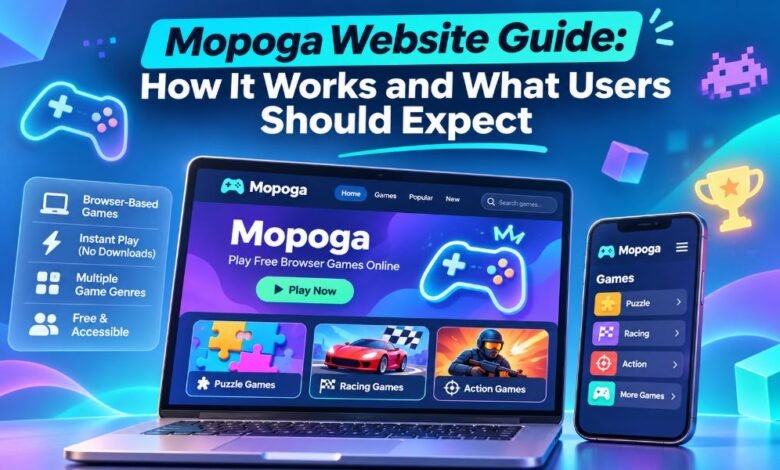
Online games have become a fun way to spend free time. Many people want games that are easy to find and simple to play. They do not want to install large apps or create new accounts. This is one reason people search for Mopoga. The name appears on websites that offer games through a web browser.
Some focus on casual games, while others offer story-based games for adults. These sites do not all have the same content. That is why users should know which website they are visiting. This Mopoga guide explains how the sites work, what games they offer, how to protect saved progress, and what to check before playing.
What Is Mopoga?
Mopoga is a name linked to online gaming websites. These sites help people find and play games using a phone, tablet, or computer. Many of the games run in a web browser. This means users may not need to install a separate app.
They can open a game page and begin playing. The type of game depends on the website they visit. Some Mopoga sites focus on puzzles, racing, and action games. Others offer stories where players make choices. Mopoga.com is an adult gaming website and is not meant for children. Knowing this difference helps users find the right kind of games.
How Does the Mopoga Website Work?
Mopoga websites use a simple idea. They place games on web pages so people can find them in one place. A user opens the website, looks through the game list, and picks a title. On a browser-based game page, the game loads inside the browser.
Some games use HTML5, which helps games run without a separate app. Other games use tools made for telling stories. The loading time depends on the game, internet speed, and device. Some titles start fast, while larger games take more time. The experience can also change from one Mopoga domain to another.
Different Mopoga Websites and What They Offer
One important fact is that the Mopoga name appears on more than one website. Mopoga.com states that it began in 2020 and focuses on adult browser games. It offers many story-based titles. Mopoga.net presents itself as a free mobile gaming website. It lists games from categories such as puzzles, action, and strategy.
Some of its game links also lead to outside app stores. Games.mopoga.com presents another collection of browser games, with a focus on stories and role-playing. These sites should not be treated as one shared game library. Their ownership and connections are not fully clear from the public pages.
What Types of Games Can Users Find on Mopoga?
The games available under the Mopoga name depend on the exact website. On casual gaming pages, users may find puzzle games that test thinking skills. Racing games focus on speed and control. Action games ask players to react to new tasks. Strategy games require planning before making a move.
Story-based games work in another way. Players read a story and select what happens next. Some games also let players explore places or build characters. The main Mopoga.com website has adult-themed content, so it is not a family gaming site. Always check the game title, description, and age rating before opening it.
How to Start Playing Games on Mopoga
Starting a browser game can be simple. First, open a web browser such as Chrome, Safari, or Firefox. Type the exact website address you want to visit. Check the address before opening any game. Next, browse the game categories or use the search option if one is available.
Select a game and read its description. If the game supports direct browser play, use its play button to begin. Wait for the page to load, then follow the game’s instructions. You should not need to install unknown files to start a browser game. If a page asks for a download, check where that link leads.
Can You Use Mopoga on Mobile Phones?
Mobile access is a key part of many Mopoga websites. People can open supported games on Android phones and iPhones using a browser. Touch controls let players tap buttons and make choices on the screen. Some games work well in portrait mode, where the phone stays upright.
Others need landscape mode, where the phone turns sideways. A bigger screen may make small text easier to read. Mobile games can also use internet data, so a Wi-Fi connection may help when playing longer games. Not every title will work the same way on every phone. Older devices may have trouble loading larger games.
Does Mopoga Work on Computers and Laptops?
Many Mopoga browser games also work on desktop computers and laptops. A computer can offer a larger screen, a keyboard, and a mouse. These tools may help with games that have small buttons or long stories. Users can open the website through a supported web browser and choose a game.
The computer does not always need special gaming hardware. Simple browser games often work on basic machines. However, games with large images or complex graphics can use more memory. Keeping the browser updated can improve the experience. Closing unused tabs may also help a slow computer run games better.
Is Mopoga Free to Use?
Many Mopoga websites promote free gaming. Mopoga.net says users can explore free games through its website. Games.mopoga.com also states that its browser games are free to start. On these pages, users can often select a title without paying first. Still, free access does not mean every outside link or extra feature will be free.
Some listed games may lead to an app store, and some game makers offer paid extras on other platforms. Adult game makers may also offer optional ways to support their work. Before spending money, users should read the payment terms and check that the offer comes from a trusted source.
Do You Need an Account to Play on Mopoga?
Many browser games do not require an account. Users can open a game page and start playing without giving their name or email address. This makes it easy to try a new game. Some services may offer accounts for scores, extra features, or saved progress. These options depend on the website and game.
An account is not the same as a browser save. Some games keep progress on the user’s device without a login. If a website asks users to register, they should check its privacy rules first. They should also create a strong password and avoid sharing personal details that the service does not need.
How Does Mopoga Save Game Progress?
Saving progress matters when a game takes hours to finish. Some Mopoga games store progress inside the browser. This lets users return to a saved point later. However, these saves may belong to one browser on one device. If a user changes phones, switches browsers, or deletes website data, the save may disappear.
Private browsing can also remove saved progress after the session ends. Mopoga.com’s help page tells players to use in-game save tools and export files when that option exists. Users should save often during long games. They should also check how a game handles updates, since a new version may not work with an old save.
Is Mopoga Safe to Use?
Website safety is an important part of online gaming. Mopoga users should check the exact website address before playing. A secure connection can help protect data while it moves between the browser and the site. However, a secure connection does not prove that every game, ad, or link is safe.
Users should avoid strange pop-ups, unknown downloads, and pages asking for private details. It is also wise to keep the browser and device software updated. Parents should know that Mopoga.com contains adult content. It should not be used as a children’s gaming website. A good safety habit is to read each site’s rules before using it.
Common Mopoga Problems and How to Fix Them
Browser games can sometimes stop loading or respond slowly. A weak internet connection may cause a page to freeze. An old browser can also create problems. Start by checking the internet connection and loading the game page again. If the game still does not work, try updating the browser or closing unused tabs.
On a phone, turning the screen sideways may help with hidden buttons. If the sound does not work, check the device volume and the game’s sound settings. Be careful when clearing website data. That action may delete saved progress. If the problem continues, check the game’s help page or contact the website’s support team.
Why Do People Search for Mopoga?
People look for Mopoga for several reasons. Some want free games that do not take up much space on their devices. Others enjoy games that start through a browser. Story fans may want games where their choices change the plot. Casual players may prefer a puzzle or racing game during a short break.
Browser gaming can make it easier to try several titles without installing each one. Still, the Mopoga name can cause confusion because different domains offer different content. A person looking for a simple puzzle game may not want the adult games found on Mopoga.com. Checking the website first can prevent that mistake.
Benefits and Limits of Using Mopoga
One useful part of browser gaming is easy access. Players can often begin without installing an app. They may also use the same kind of game page on a phone or computer. Free access makes it easier to try new titles. But there are limits. A game may need a steady internet connection. Some pages contain ads or outside links.
Saved games may disappear when browser data is removed. A game that works on one device may not work on another. Users should also know that website content can change. These points do not make browser games bad, but they show why it helps to understand how each game works.
What Should New Users Expect From Mopoga in 2026?
New users should expect different experiences across Mopoga websites. A casual gaming page may show a list of game categories, images, and play links. A story-based page may focus on reading, choices, and saved progress. Some games can take time to load.
Others may not run well on an older device. Users should also expect that games may receive updates, which can change how they work. Most of all, they should check the exact domain and the type of content it offers. This simple step helps users avoid visiting the wrong website and makes it easier to find games that match their interests.
Final Thoughts
Mopoga is a name connected with websites that make online games easy to find. Many titles run inside a browser, which means players can enjoy games without installing separate software. The websites offer different types of games, from casual puzzles to story-based adventures. However, users must remember that Mopoga.com is an adult gaming website, while other Mopoga domains present different game collections.
Before playing, check the website address, read the game details, and understand how saved progress works. These simple habits can help users enjoy browser gaming with fewer problems. Mopoga can offer an easy way to explore online games, but choosing the right website is the most important first step.