

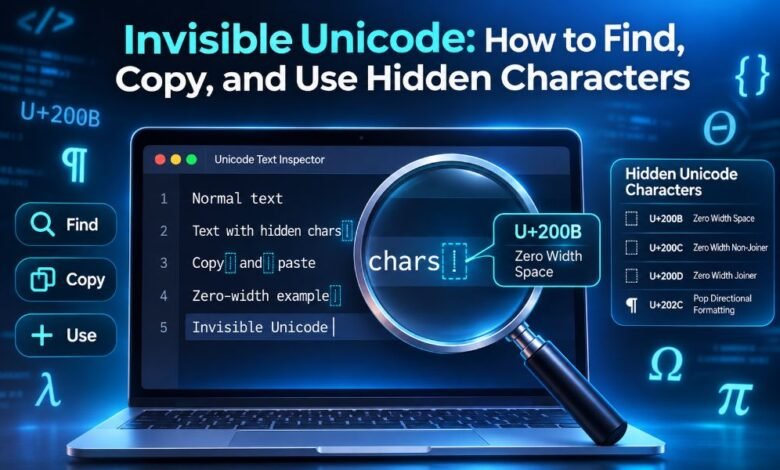
Have you ever copied some text and found a space that you could not see? Maybe you tried to remove it, but the text still looked strange. This can happen because of Invisible Unicode characters. These are special text characters that may not show on your screen.
Yet they can still be part of a message, name, or document. People use them in websites, computer programs, and many languages. Some help words fit on a page.
Others help letters and emojis work the right way. In this guide, you will learn what Invisible Unicode means, how it works, how to copy hidden characters, and how to find or remove them from your text.
What Is Invisible Unicode?
Invisible Unicode is a common name for Unicode characters that have no clear shape on a screen. Unicode is a system that gives letters, numbers, symbols, and other text characters their own codes. It helps computers and phones show text from many languages.
Some Unicode characters appear as letters or signs. Others do not appear at all. These hidden marks may help control spaces, word breaks, or the way letters join together.
For example, the zero-width space has the code U+200B. It can sit between two letters without making a visible gap. The text may look the same, but the hidden mark is still there.
These characters are part of the text. They are not secret files or special fonts. They help digital text work in different ways.
How Does Invisible Unicode Work?
Every Unicode character has a code point. A code point is a number that tells a computer which character it represents. The code U+0041 stands for the capital letter A. The code U+200B stands for a zero-width space.
When a computer reads text, it uses these codes to decide what to show. A normal letter has a visible shape. A zero-width space does not have one.
Think of the word “hello.” You can place a zero-width space between two letters. The word may still look like “hello,” but it now has one extra character.
Some hidden characters help a line of text break in the right place. Others help form emoji or change how letters join. This is why Invisible Unicode matters in digital writing.
Different Types of Invisible Unicode Characters
Invisible Unicode includes several kinds of hidden text marks. Each type has its own job. Some help with spaces. Others help with writing in different languages.
Zero-Width Space (U+200B)
A zero-width space adds a place where text can break into a new line. It does not add a normal visible space.
This mark is useful in text that has no spaces between some words. It can help a browser decide where to move text onto the next line.
Zero-Width Joiner (U+200D)
The zero-width joiner helps some characters work as a group. It plays a key role in many emoji designs.
For example, the woman technologist emoji, 👩💻, uses a zero-width joiner between the woman and laptop characters. A device with support for that emoji can show them as one image.
Zero-Width Non-Joiner (U+200C)
A zero-width non-joiner keeps some letters from joining together. It is useful in writing systems where letters can connect.
This mark is important in languages such as Persian. Removing it may change the way a word looks.
Word Joiner (U+2060)
A word joiner helps keep text from breaking into two lines at a chosen point. Unlike a normal space, it has no width.
It can help keep parts of a term or symbol group together.
Soft Hyphen (U+00AD)
A soft hyphen marks a place where a word may break at the end of a line. It is often hidden when the word stays on one line.
When a line break happens at that point, a hyphen may appear.
How to Find Invisible Unicode in Text
Finding hidden characters can be hard because your eyes cannot see them. A word may look normal even when it has extra marks.
The best way is to use a text editor or tool that can show Unicode codes.
Start by copying the text you want to check. Then open a text editor that supports a search for special characters. Some code editors can find hidden marks when you search by their Unicode code.
You can also use a Unicode text checker. Such tools may show each character and its code point.
For example, you might see the code U+200B between two letters. This tells you that a zero-width space is present.
Helpful steps:
-
Copy the text you want to check.
-
Open a trusted Unicode checker or text editor.
-
Paste your text into the tool.
-
Look for codes such as U+200B or U+200D.
-
Check why the hidden mark is there before you remove it.
Not every invisible character is a mistake. Some are needed for correct text.
How to Copy Invisible Unicode Characters
You can copy Invisible Unicode characters even when you cannot see them. The key is to copy the real character, not just its name or code.
First, choose the character you need. For example, choose U+200B if you want a zero-width space.
Next, open a trusted Unicode character reference that shows the character. Look for a copy option that copies the actual character.
Once copied, paste it into a text field or editor. You may not see anything change. That can be normal.
To make sure the mark is there, use a Unicode checker to read the text.
You can also create a character from its code point. In JavaScript, String.fromCodePoint(0x200B) makes a zero-width space. In Python, chr(0x200B) does the same.
Remember that copying the text U+200B only copies the code’s label. It does not copy the hidden character itself.
How to Use Invisible Unicode Characters
Invisible Unicode can be useful when you need to control how text appears. However, the best character depends on the job.
A zero-width space can give a long line of text a safe place to break. This can help when a line has words or signs with no normal spaces.
A zero-width joiner can help build some emoji sequences. It also has a role in certain writing systems.
A zero-width non-joiner can keep letters apart where a language needs that form. A word joiner can keep two parts of text on the same line.
You should not add these marks to every word. Use them only when there is a clear reason. Too many hidden characters can make text harder to search, edit, and check.
Where Are Invisible Unicode Characters Used?
Websites and Online Pages
Websites use Unicode to show text from many languages. Hidden characters can help with line breaks and how words appear on a screen.
Web developers may also use special text codes to keep a piece of text together. This can help a page look neat on a small screen.
Social Media and Messaging Apps
Invisible Unicode can appear in messages, comments, and online names. Some users add hidden marks for text style or layout.
Still, each app has its own rules. Some apps may remove these characters or block them in names.
Computer Programming
Programmers work with Unicode when they build websites, apps, and software. They may need to find hidden marks that cause text errors.
For example, a hidden mark in a copied line of code can make two pieces of text look the same even when they are not.
Languages and Writing Systems
Many languages need special text rules. Some letters join with nearby letters. Others need marks that control their form.
Invisible Unicode helps support these writing needs. Such characters are not just tricks for online text.
Invisible Unicode vs. Normal Spaces
A normal space and an invisible character are not always the same thing.
A normal space, U+0020, adds a gap between words. It also gives text a common place to break into a new line.
A zero-width space, U+200B, does not add that gap. It only marks a possible break point.
A no-break space, U+00A0, usually looks like a normal space. But it helps keep text on the same line.
A word joiner, U+2060, has no width and stops a line break at that point.
These differences matter when you create web pages, fix text, or copy content from one program to another.
How to Remove Invisible Unicode Characters
You may need to remove a hidden mark if it causes a problem. This can happen when text comes from a website, PDF, or document.
First, find the character with a Unicode checker or a suitable text editor. Then check its code point.
If you find U+200B and do not need it, you can remove it with a search-and-replace tool that supports Unicode codes.
Some editors let you search for \u200B when their regular expression search mode supports that form. You can then replace the mark with nothing.
For a small amount of text, you can also remove the extra character by hand. But this is hard when the mark has no visible shape.
Important: Do not remove every hidden character without checking. A zero-width joiner may help form an emoji. A non-joiner may be needed for a word in another language. Removing them can change the text.
Can Invisible Unicode Cause Problems?
Yes. Invisible Unicode can cause errors when it appears in the wrong place.
For example, two names can look the same but contain different characters. This may cause trouble when you search for a name or compare two text values.
Hidden marks can also affect copied code, online forms, and text search tools.
In some cases, people may use hidden characters to make text harder to check. This can create safety and trust concerns.
A good way to avoid these problems is to check unknown text before using it in code, file names, or important records.
Is Invisible Unicode Safe to Use?
Invisible Unicode characters are normal parts of a widely used text system. They are not harmful by themselves.
The main concern is how people use them. A hidden mark can help text work the right way, but it can also make text confusing.
For everyday writing, use normal spaces and letters when they are enough. Use special Unicode marks when you need their real text features.
Be careful with hidden characters in passwords, online account names, and computer code. They may create errors that are hard to notice.
It is also wise to check the text before pasting it into a public post or an important document.
Why Is Invisible Unicode Important?
Invisible Unicode helps digital text work across many devices and languages. Without special text controls, some writing systems and emoji sequences would not work as expected.
It also gives programs more control over line breaks and text layout.
For readers, learning about hidden characters can help solve text problems. You may find out why two words look the same but act in different ways.
For writers and web owners, this knowledge can help keep text clean and easy to read.
The most useful lesson is simple: not every character in a document has a visible shape.
Final Thoughts
Invisible Unicode may be hard to see, but it has an important role in digital text. These hidden characters help control spaces, line breaks, letter forms, and emoji. You can find them by checking their Unicode codes. You can also copy them with the right tool and use them where needed.
The best way to work with Invisible Unicode is to understand each character before you add or remove it. This helps you avoid text errors and keeps your writing clear. Whether you work with websites, messages, or computer code, knowing how hidden characters work can save time and solve common text problems.




One Comment