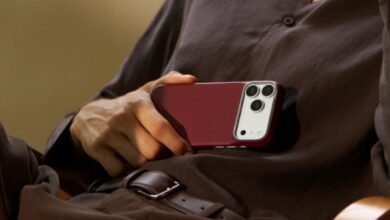


Choose the exact phone model first, then choose the level of coverage and the way you want the phone to feel. The iPhone 17 Pro and Pro Max need their own cases. A shared series name describes a design family, not an interchangeable fit.
PITAKA’s aramid fiber iphone case collection can serve as a starting point for comparing designs. If the phone is a Pro Max, use the dedicated aramid fiber iphone 17 pro max case collection to keep the options tied to the correct model.
1. Confirm the model before comparing finishes
Read the model name in the phone’s settings and match it to the product selection. Before checkout, check the selected device again, especially on pages that offer several phones through one menu.
- Match iPhone 17 Pro or iPhone 17 Pro Max in full.
- Confirm that the product images correspond to the selected version.
- Check camera, charging-port and control openings.
- Look for separate options for case series and finish.
Getting the model right avoids a case that arrives with the wrong dimensions or openings. It also makes later specification comparisons meaningful.
2. Choose coverage around your normal risks
A desk-based routine and a hands-on outdoor job place different demands on a phone. Start with the situations in which it is most likely to slip or strike something.
- Mostly desks and pockets: A close-fitting shell may give the preferred balance of surface coverage and easy carrying.
- Frequent one-handed use: Grip and comfortable edges deserve extra attention.
- Regular exposure to hard floors: Examine corner construction, screen clearance and model-relevant finished-product tests.
PITAKA’s collections separate Edge, Summa and Cairn rather than treating every aramid case as the same construction. Those families provide a useful shortlist, but each selected product still needs to be assessed on its own details.
3. Check the controls you use most
A case can feel fine in the hand and still make a frequent action awkward. Consider the camera control, volume buttons and charging cable together. A broad cable connector needs enough clearance; a covered control needs an interface suited to its gestures.
Where a product lists PitaTap, read the description for the selected model. The presence of a familiar feature name on another phone’s case does not establish the configuration of the one being purchased.
4. Plan for the complete accessory setup
A magnetic wallet, grip or charging stand changes how the phone is used. The useful question is whether the chosen combination works as a system.
- Confirm magnetic accessory compatibility on the selected case.
- Check whether a camera surround crowds a large accessory.
- Consider the extra depth of a wallet or grip in a pocket.
- Check screen-protector clearance if adding one.
A case chosen for a slim profile can become a much thicker object after accessories are attached. Assess the combination that will actually travel with the phone.
5. Check the return terms before committing
Photographs cannot settle every question about hand feel. Read the seller’s current return conditions, including installation requirements and any restrictions affecting a used case. Keep the packaging until the fit and controls have been checked.
The result should be a case that matches both the device and the routine: the right model, enough coverage, accessible controls and room for the accessories that matter.
Case-family descriptions come from PITAKA’s model collections; compatibility and protection specifications must be read for the selected iPhone 17 Pro or Pro Max variant.