

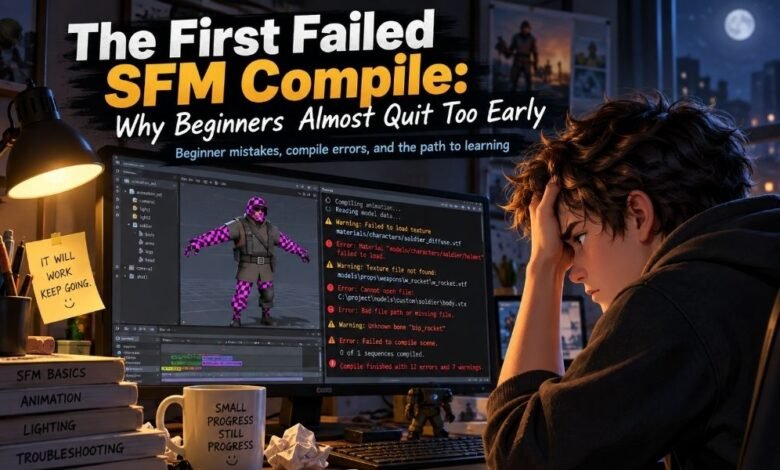
The first sfm compile can feel like a wall. A beginner may spend many hours making a model, fixing textures, naming folders, and watching tutorials. Then the model does not show up. Or the textures are pink and black. Or the compile window gives a long error that looks hard to read. At that moment, many new creators think they are not good enough. But that is not true.
A failed sfm compile does not mean you are bad at 3D work. It means you are learning a tool chain that has many small parts. Source Filmmaker is a movie-making tool built by Valve for work inside the Source game engine, so its model process follows Source engine rules, not the simple “drag and drop” style many beginners expect.
Why the First SFM Compile Feels So Hard
A first sfm compile feels hard because the user is not only making art. They are also learning file paths, model formats, material names, QC files, texture folders, and error logs. This is a lot for one person at the start. A beginner may think the problem is one big mistake. Most of the time, it is many small things. One slash in the wrong place can break a path.
One wrong material name can hide a texture. One missing folder can stop the model from appearing. The hard part is not always the model. The hard part is knowing where the mistake is. That is why the first failure feels personal, even when it is only technical.
The Beginner Story: Hours of Work, Then Nothing
Imagine a new creator who wants to bring a custom character into Source Filmmaker. They finish the model. They feel proud. They export the files. They write or copy a QC file. They press compile. For a few seconds, it looks like something is happening. Then the tool stops. Maybe it shows an error.
Maybe it makes files, but the model looks broken in SFM. The creator opens the program and searches for the model. Nothing. They check again. Still nothing. This is the moment when the first sfm compile can hurt. It feels like all the work was wasted. But the work was not wasted. The model, the folders, the names, and the errors are now clues. They can lead the beginner to the fix.
What SFM Compile Really Means
In simple words, sfm compile means turning working model files into a model format that Source Filmmaker can read. Many creators use files like SMD or DMX during the model process. Then a compiler reads the instructions in a QC file and builds the final model files. Valve’s StudioMDL is the command-line tool used to compile exported model data into the binary MDL format used by the Source engine.
This sounds complex, but the idea is simple. The compiler is like a strict builder. It follows the plan. The QC file is the plan. If the plan points to the wrong folder, the builder gets lost. If the plan names the wrong file, the builder stops. This is why small mistakes can cause big pain.
Why Small Errors Feel Bigger Than They Are
Small errors feel big because beginners do not yet know what the error means. A missing bracket, a wrong file name, or a bad texture path can look like a disaster. The screen may show many lines of text. Some lines are warnings. Some lines are errors. A new user may not know which one matters. This makes the sfm compile process feel scary.
But many common errors are not deep problems. They are simple fixes hiding behind technical words. A model may not be broken. It may only be saved in the wrong folder. A texture may not be ruined. It may only have the wrong material path. The key is to slow down and test one thing at a time.
Common Reasons Your First SFM Compile Fails
Most first sfm compile failures come from basic setup problems. This does not mean the user is careless. It means the workflow is strict. Source tools care about exact names and exact paths. A beginner can avoid many problems by checking the simple things first.
Common causes include:
-
Wrong model folder path
-
Wrong material folder path
-
Missing SMD or DMX file
-
Wrong file name in the QC file
-
Missing texture files
-
Wrong game folder selected
-
Bad skeleton or bone setup
-
Model compiled but placed in the wrong location
-
Ignored compile log warnings
These mistakes are normal. They happen to new creators and even to skilled creators. The difference is that experienced creators know how to read the signs faster. They do not panic as quickly. They check the log. They test the path. They fix one thing and try again.
The Compile Log Is Not Your Enemy
The compile log looks unfriendly at first. It may show paths, warnings, missing files, and strange words. But the log is one of the best helpers in the sfm compile process. Guessing wastes time. The log points toward the problem. If it says a file cannot be found, the first step is not to change everything.
The first step is to check that file name and folder. If it says a material is missing, check the material path. If it says the QC file has a problem, look near the line named in the message. A beginner should not try to understand every line at once. They should look for the first real error. One fixed error can remove many later errors.
Crowbar, StudioMDL, and the Beginner Choice
Many beginners use Crowbar because it gives a friendlier way to compile Source models. Crowbar is known in the Source modding community as a Source engine modding tool, and Steam guide material describes it as a graphical interface for StudioMDL, the command-line model compiler. This helps beginners because they do not have to type every command by hand.
But StudioMDL is still important to understand because it is the real compiler behind many workflows. A beginner does not need to master everything on day one. They can use Crowbar to make the process easier, while slowly learning what the compiler is doing. That balance is smart. Easy tools are not cheating. They are bridges.
The Emotional Side of a Failed Compile
A failed sfm compile can feel worse than a normal software error because the user has made something personal. A model may be tied to a story, a fan project, a game idea, or a character the creator loves. When the compile fails, it feels like the idea has been rejected. This is why beginners almost quit.
They are not only fighting a file error. They are fighting doubt. They may think, “Maybe this is not for me.” But every creator who works with technical art meets this moment. It is part of the path. Learning SFM is not only about tools. It is also about patience, calm thinking, and the courage to try again after the screen says no.
Why Failure Is Part of the Source Workflow
The Source workflow is old, strict, and powerful. It rewards clean structure. It does not always explain mistakes in a friendly way. But this strict nature also teaches strong habits. A failed sfm compile forces the creator to care about folders, naming, texture paths, and clean project files.
These habits help in many other creative tools too. The first failure is like a hard teacher. It shows what must be fixed. It teaches the user to save backups. It teaches the user to test small changes. It teaches the user not to add too many new parts at one time. These lessons are not fun at first, but they make better creators.
How to Survive Your First SFM Compile
The best way to survive your first sfm compile is to make the project smaller. Do not start with the most complex model. Do not add many bodygroups, skins, physics, and flexes at once. Start with a simple model that can compile. Make one thing work first. Then add more. This keeps the process clear. If something breaks, you will know what changed.
Beginners should also keep a simple checklist. Check the model path. Check the material path. Check the file names. Check the QC file. Check the compile log. Then test in SFM. This is slower at first, but it prevents random guessing. A calm checklist is better than changing ten things at once.
A Simple Beginner SFM Compile Checklist
Before pressing compile again, a beginner can use a short checklist. This makes the sfm compile process feel less confusing. First, make sure the QC file points to the right model name and folder. Second, make sure the source files are in the place the QC file expects. Third, make sure material names match the texture setup.
Fourth, compile a small version before adding more features. Fifth, read the first real error in the log before doing anything else. The goal is not to fix every possible problem in one try. The goal is to find the next clear problem. This makes the work feel possible. Each small fix is progress.
Why Beginners Should Not Quit Too Early
Beginners should not quit after the first failed sfm compile because the first failure is often the worst one. After that, the process starts to make more sense. The user learns what a path error looks like. They learn why file names matter. They learn that a missing texture does not mean the whole model is ruined. They learn that logs are useful.
They also learn that technical artists are not magic. They are people who have failed many times and learned how to fix things. The first working compile feels great because it proves something important. It proves the creator can solve the problem. That small success can give them energy to keep going.
The Surprising Benefit of a Failed SFM Compile
A failed sfm compile can build a stronger creator. It teaches patience. It teaches clean work. It teaches problem solving. It also teaches the creator to respect the hidden work behind 3D animation. Viewers may only see the final shot. They do not see the broken paths, test compiles, missing textures, and late-night fixes.
But those hidden steps matter. They are part of the craft. When a beginner fixes their first compile issue, they gain more than a working model. They gain confidence. They start to understand the system. They stop seeing errors as proof of failure. They start seeing errors as messages. That change in thinking is powerful.
Final Thoughts
The first sfm compile can feel confusing, slow, and unfair. But it is not a sign that the beginner should quit. It is a normal part of learning Source Filmmaker and Source model work. The process has strict rules, and those rules can be hard at first. Still, each error teaches something. Each missing file points to a better habit.
Each broken texture shows why paths matter. A beginner does not need to become an expert in one day. They only need to fix one problem, test again, and keep learning. The first failed sfm compile is not the end of the journey. For many creators, it is the real beginning.