

Playing online games is a fun way to enjoy your free time. Many people want games that are easy to find and play. They do not want to spend money or download large files. The Pizza Edition is a website that offers free browser games in one place. You can find racing games, sports games, puzzles, and fun arcade games.
Most games are easy to start and have simple controls. You can play many of them on a laptop, desktop, or Chromebook. Some also work on mobile phones. But how does The Pizza Edition work? Is it safe to use? What games can you play in 2026? This guide explains everything in simple words. You will also learn how to start playing, fix common problems, and choose the best games for your free time.
What Is The Pizza Edition?
The Pizza Edition is an online gaming website where people can play games for free. It brings many types of browser games together. You do not need a gaming console or an expensive computer to play most of them. All you need is a web browser and a good internet connection. Open the website, choose a game, and press Play. Many games start within seconds. Some may take longer to load.
The website offers games for different interests. You can race cars, solve number puzzles, play sports, or enjoy simple action games. Some games need fast moves, while others need careful thinking. There are also short games that you can finish in a few minutes.
In 2026, several websites use The Pizza Edition name. They do not all have the same games or features. Some offer a few dozen games, while others list hundreds. The name does not mean every site belongs to one company.
Why Are The Pizza Edition Games So Popular?
Many players like The Pizza Edition because it makes gaming simple. You do not need to buy a game or spend hours setting it up. Most games run inside a browser. This saves storage space on your device. It also means you can try a new game without installing new software.
Another reason is the wide choice of games. Some players love racing and driving. Others enjoy football, puzzles, or jumping games. The Pizza Edition has games for many of these interests. You can also switch between games when you want something new.
Many browser games are short and easy to learn. You can play for a few minutes and stop when you need to. This makes them a fun choice for breaks at home. A simple design also helps new players find games with less trouble.
What Are Unblocked Games on The Pizza Edition?
Unblocked games are games that people can open through a web browser on a network that allows them. These games often do not need an app or special software. That makes them useful on devices where users cannot install new programs.
The Pizza Edition is often called an unblocked gaming website. It offers many games that run in a normal browser tab. This can make them easy to use on Chromebooks and shared computers. However, unblocked does not mean that every school or office will allow the website.
Schools and workplaces may block gaming websites to help people focus on their work. A game may open on your home internet but not on a school network. Always follow the rules of the place where you use your device.
How to Play The Pizza Edition Games in 2026
Playing games on The Pizza Edition is easy, even for a new player. You do not need special gaming skills to begin. First, open Google Chrome, Firefox, Edge, or another modern browser. Search for The Pizza Edition and choose a trusted website. Check the website address before opening games. Several sites use similar names, so their features may not be the same.
After opening the website, look at the home page. You may see popular games, new games, and game categories. Choose a game that looks fun. Click its picture or name to open the game page. Wait for the game to load. Some games start right away. Others ask you to press a Start or Play button.
Read the game rules before you begin. Some games use the arrow keys. Others use the mouse, spacebar, or WASD keys. Try the first level to learn the controls. If you lose, you can often restart and try again. Many games also have a full-screen option for a larger view.
Best Games to Play on The Pizza Edition
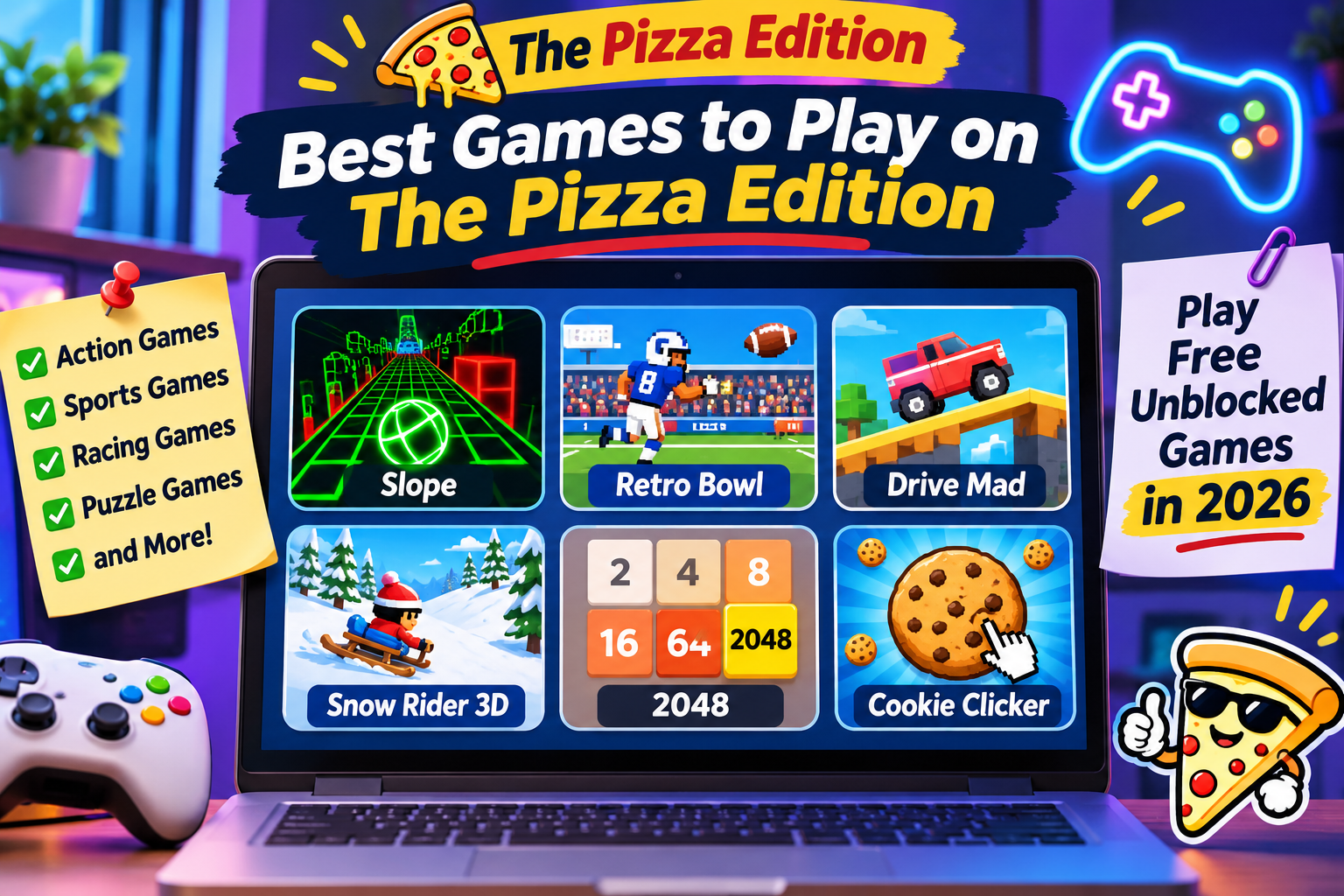
The Pizza Edition offers many well-known browser games. The exact list depends on the website you visit. Here are some games listed on Pizza Edition websites and what makes them fun.
1. Slope – A Fast Ball Game
Slope is a game that tests your speed and focus. You control a ball that rolls along a narrow path. Your job is to keep the ball on the track and avoid objects. The path has sharp turns, gaps, and blocks. The ball can move faster as you keep playing. One small mistake may end your run.
Slope is easy to learn but hard to master. You need to watch the path and make quick moves. The game is a good choice for players who enjoy fast action and want to beat their best score.
2. Retro Bowl – A Fun Football Game
Retro Bowl is a sports game based on American football. You lead a football team and try to win games. You can throw passes, score points, and make choices for your team. The game also has team tasks that help you build a stronger group of players.
Retro Bowl has simple graphics that look like older video games. This gives it a classic style. The controls are easy to learn, but winning takes practice. It is a good game for people who enjoy football and team planning.
3. Drive Mad – Test Your Driving Skills
Drive Mad is a driving game with strange roads and tricky levels. You control a vehicle and try to reach the end of each track. Some roads have steep hills, narrow paths, or large gaps. You must keep your vehicle balanced while moving forward.
Driving too fast can make your vehicle flip. Going too slowly may also cause trouble. You need to find the right speed for each part of the track. Drive Mad helps players practice timing and control. Each new level brings a fresh challenge.
4. Snow Rider 3D – Enjoy a Snowy Adventure
Snow Rider 3D is a winter game where you ride a sled down a snowy hill. Your goal is to travel as far as you can without crashing. Trees, rocks, and other objects stand in your way. You must move left or right to avoid them.
You can also collect gifts during your ride. These gifts help make the game more fun. The longer you stay on the path, the harder the ride can become. Snow Rider 3D is a good choice for players who like simple games with fast action.
5. 2048 – A Simple Number Puzzle
2048 is a puzzle game that makes you think before each move. The game has a board filled with numbered tiles. You slide the tiles up, down, left, or right. When two tiles with the same number meet, they join into one larger tile.
Your goal is to make a tile with the number 2048. This sounds easy, but the board can fill up fast. You must plan your moves to keep enough free space. The game is great for players who enjoy numbers and solving puzzles.
6. Cookie Clicker – Build Your Cookie Collection
Cookie Clicker is a simple game where you make cookies by clicking a large cookie on the screen. Each click adds more cookies to your total. You can use these cookies to buy tools and upgrades. These tools help you make more cookies over time.
As you play, you can unlock new ways to grow your cookie count. The game does not need fast movement or hard controls. It is a good choice for people who enjoy building things step by step and reaching new goals.
Main Game Categories on The Pizza Edition
The Pizza Edition has different kinds of games. Racing games let you drive cars, bikes, and other vehicles. You may need to win a race or finish a hard track. Sports games let you enjoy football, basketball, and other contests. Puzzle games test your memory, logic, and planning skills.
Action games focus on quick moves and timing. Arcade games often have simple rules and short levels. Clicker games let you collect points and buy upgrades. Some websites also offer two-player games where friends can play on one device. Other games let you compete with people online.
This mix of game types makes it easy to find something new. You can choose a calm puzzle or a fast race based on your mood.
Can You Play The Pizza Edition on a Chromebook?
Yes, many Pizza Edition games work on Chromebooks. A Chromebook uses a web browser for many daily tasks. This makes it a good device for simple online games. You can open Chrome, visit a game website, and start playing without a large download.
However, some games may run slowly on older Chromebooks. Large games may need more memory or a faster device. To help games run better, close extra browser tabs and keep Chrome up to date.
If your Chromebook belongs to a school, it may have limits on gaming websites. You should only play when your school allows it. The Pizza Edition cannot promise that all games will open on every school device.
Does The Pizza Edition Work on Mobile Phones?
Some games on The Pizza Edition work on mobile phones and tablets. You can open a mobile browser and choose a game, just as you would on a computer. Games with touch controls are often the best choice for phones. These may include number puzzles, clicker games, and simple arcade games.
However, not every browser game supports a phone screen. Some games need a keyboard or mouse. Others may have buttons that are too small to use on a phone. For these games, a laptop or desktop computer may be better.
Check the game controls before playing. If the game has touch buttons, it may work well on your phone. Some websites also mark games that work only on a computer.
Is The Pizza Edition Safe for Kids?
The Pizza Edition can offer fun games, but safety matters. Many games do not need a download or an account. This can reduce some risks. Still, it does not mean that every website or game is safe.
Some websites may show ads, pop-ups, or links to other pages. Do not click a button that asks you to install an unknown app. Never share your password, home address, or other private details with strangers.
Parents should also check the games their children want to play. Some games may have scary scenes, fighting, or topics meant for older players. A game that is free is not always right for every age.
Use a trusted browser, keep your device updated, and close pages that seem unsafe. These simple steps can help make online gaming safer.
Why Is The Pizza Edition Not Working?
Sometimes a game on The Pizza Edition may not load. The screen may stay blank, or the game may stop while you play. This can happen for many reasons. Your internet may be slow. The website may have a server problem. The game may also use files from another website that is no longer working.
Start by refreshing the game page. If that does not help, check your internet connection. You can also close extra tabs and restart your browser. If one game fails, try another game on the same website. This helps you see whether the problem affects one game or the whole site.
Some games may not support your device. If a game needs a keyboard, try it on a computer instead of a phone. If a school or office network blocks the site, follow its rules rather than trying to get around the block.
Do You Need an Account to Play The Pizza Edition?
Many Pizza Edition websites let players start games without creating an account. This makes them easy to use. You can visit the site, select a game, and start playing. You may not need to share an email address or password.
Some websites also offer ways to save favorite games or track recent games. These features may use your browser to store information. However, saving game progress is different. Some games save your score or level, while others start again when you close the page.
If you clear your browser data, you may lose saved progress in some games. It is a good idea to check the game page before you begin a long game.
Simple Tips to Get Better at The Pizza Edition Games
Getting better at browser games takes time and practice. Start with easy games and learn how the controls work. Do not rush through the first level. Watch how the game moves and learn what causes you to lose. When you understand the rules, try harder levels.
For racing games, practice turning and slowing down. For puzzle games, think about your next move. In sports games, learn when to pass, shoot, or defend. If you keep losing, take a short break and try again later.
You should also rest your eyes and hands during long gaming sessions. Games are more fun when you have time for school, family, sleep, and other things you enjoy.
The Pizza Edition vs Downloadable Games
The Pizza Edition is different from many games you install on a computer. Browser games usually need less setup. You can open them through a website and begin playing. You also do not need to keep a large game file on your device.
Downloadable games may offer better graphics, longer stories, and more game features. Some also work without an internet connection. Browser games are often better for quick play and simple fun.
The Pizza Edition is a good choice for people who want to try different games without a long setup. Downloadable games may be better for players who want a larger gaming experience. Both can be enjoyable.
Conclusion
The Pizza Edition is a fun way to explore free online games in 2026. It brings racing, sports, puzzles, action games, and other choices to your browser. Many games do not need a download or an account. This makes them easy for new players to try. You can enjoy a quick game at home or play longer when you have free time.
Some games also work on Chromebooks and mobile phones. Always choose trusted websites, check the game rules, and protect your private details. With safe habits and a little practice, The Pizza Edition can be a simple and enjoyable place to find your next favorite browser game.





One Comment